




Wissen Wie man Luftblasen aus einer Displayschutzfolie entfernt Letztendlich läuft es auf eines hinaus: Blasen sind unterschiedlich und man braucht unterschiedliche Methoden, um sie zu entfernen.. Eine klare, runde Blase reagiert völlig anders auf die Behandlung als eine mit einem winzigen Punkt in der Mitte. Dieser Artikel erklärt alle Arbeitsmethoden, wann welche anzuwenden ist und was im Internet immer wieder falsch dargestellt wird.
Die drei Arten von Blasen erklärt
Bevor Sie zu einer Karte oder Nadel greifen, nehmen Sie sich zehn Sekunden Zeit, um festzustellen, womit Sie es tatsächlich zu tun haben. Die Lösung hängt ganz von der Art der Blase ab.
Typ 1: Luftblasen
- Aussehen: Klare, runde oder ovale Form mit klar definierten Rändern und einem transparenten Zentrum.
- Ursache: Beim Anbringen der Schutzfolie wurde Luft zwischen Bildschirm und Folie eingeschlossen und nicht vollständig herausgedrückt.
- Reparierbarkeit: Hoch. Die meisten Luftblasen reagieren gut auf die Auspresstechnik.
- So erkennen Sie: Drücken Sie die Blase vorsichtig mit der Fingerspitze. Wenn sie sich bewegt oder kleiner wird, handelt es sich um eine einfache Luftblase.
Typ 2: Staubblasen
- Aussehen: Unregelmäßige Form mit einem sichtbaren dunklen oder weißen Fleck in der Mitte, umgeben von einem erhabenen Bereich.
- Ursache: Beim Auftragen gelangte ein Staubpartikel auf die Sieb- oder Klebeseite. Der Klebstoff konnte darüber nicht haften, sodass sich um das Partikel eine Blase bildete.
- Reparierbarkeit: Mittel. Drücken bewirkt nichts. Die Schutzfolie muss vor dem erneuten Anbringen zur Reinigung entfernt werden.
- So erkennen Sie: Halten Sie das Telefon schräg unter eine Lichtquelle. Ein winziges Partikel in der Mitte der Blase fängt das Licht ein.
Typ 3: Öl- oder Feuchtigkeitsblasen
- Aussehen: Unregelmäßige, verschwommene, fast wolkenartige Form mit weichen Rändern. Beim Drücken verändert sich die Form langsam.
- Ursache: Hautfett oder Reinigungsrückstände, die vor dem Aufbringen auf dem Bildschirm verblieben sind, oder Feuchtigkeit, die sich unter der Schutzfolie angesammelt hat.
- Reparierbarkeit: Gering bis mittelschwer. Leichte Fälle heilen manchmal von selbst. Schwere Fälle erfordern das Ablösen und erneute Auftragen nach gründlicher Reinigung.
Schnelldiagnosetabelle
| Blasenbild | Reaktion auf Druck | Typ | Empfohlene Methode |
| Runde, transparente, klare Kanten | Bewegt sich oder schrumpft | Luftblase | Methode 1: Auspressen |
| Unregelmäßige Form, Fleck in der Mitte | Nahezu keine Veränderung | Staubblase | Methode 2: Anheben und erneut auftragen |
| Verschwommene, weiche Ränder | Verformt sich langsam | Öl-/Feuchtigkeitsblase | Methode 2 oder warten |
| Harter, erhöhter Bereich, keine Reaktion | Bewegt sich nicht | Beschädigte Folie oder abgelöste Kante | Ersetzen Sie den Schutz. |
Methode 1: Die Auspresstechnik
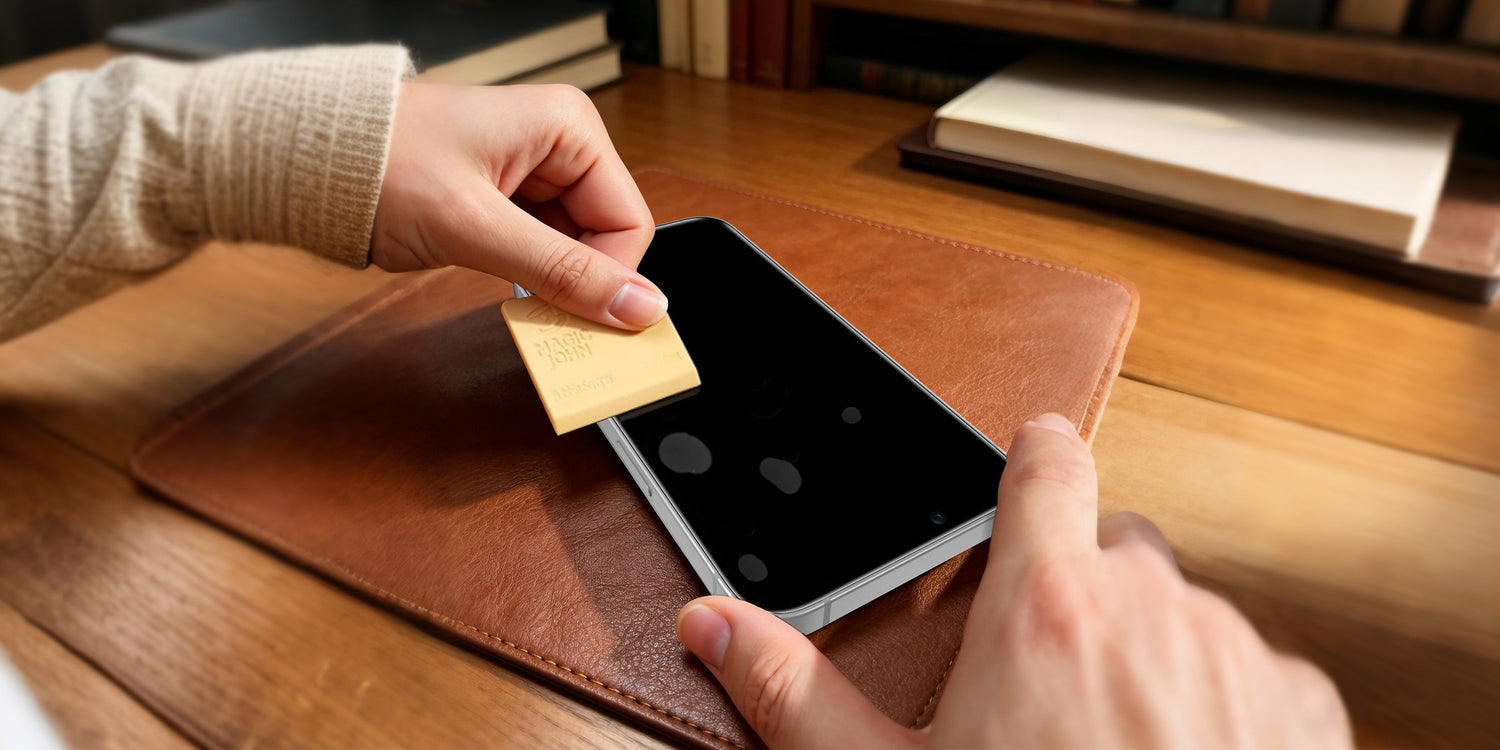
Der gebräuchlichste Ansatz für Blasen aus der Displayschutzfolie entfernen, und die richtige Wahl für die Entfernung von Luftblasen. Was die meisten Anleitungen auslassen, ist der Winkel und die Geschwindigkeit des Kartenstrichs. Beides ist wichtiger als das Werkzeug selbst.
Funktioniert für:
- Luftblasen (klar, beweglich)
- Schutzmittel, die innerhalb der letzten 24 Stunden angebracht wurden
Funktioniert nicht für:
- Staubblasen (das Herumdrücken eines Partikels birgt die Gefahr, den Bildschirm zu zerkratzen)
- Schutzvorrichtungen mit Hebekanten
Benötigte Werkzeuge: Eine Kreditkarte oder Mitgliedskarte mit abgerundeten Kanten. Optional: Ein Mikrofasertuch zwischen Karte und Schutzhülle, um den Druck gleichmäßiger zu verteilen.
Schritt für Schritt
- Finde alle Blasen. Bei guter Beleuchtung prüfen. Falls mehrere Blasen vorhanden sind, mit derjenigen beginnen, die dem Rand am nächsten liegt.
- Positioniere die Karte. Platzieren Sie die Karte in einem Winkel von etwa 30 Grad zum Bildschirm auf einer Seite der Blase. Ein flacherer Winkel sorgt für gleichmäßigeren Druck; ein steilerer Winkel erhöht das Risiko, Abdrücke auf der Schutzfolie zu hinterlassen.
- Schieben Sie sich langsam in Richtung der nächsten Kante. Führen Sie die Bewegung gleichmäßig und langsam aus. Ist sie zu schnell, zerfällt die Blase in kleinere. Ist sie zu langsam, ist der Druck zu gering. Halten Sie den Winkel der Karte dabei konstant.
- Die Kante bearbeiten. Wenn die Blase den Rand der Schutzhülle erreicht, drücken Sie mit der freien Hand leicht entlang dieses Randes, während Sie gleichzeitig mit der Karte weiterdrücken. Dadurch kann die Luft entweichen, anstatt sich am Rand anzusammeln.
- Prüfen und wiederholen. Drücken Sie mit der Fingerspitze auf die behandelte Stelle. Falls eine kleine Blase zurückbleibt, wiederholen Sie die Schritte von oben.
Was passiert, wenn die Blase zurückkommt?
Zwei wahrscheinliche Ursachen:
- Der Schutzrand ist nicht vollständig versiegelt. Fahren Sie mit der Fingerspitze fest an allen vier Kanten entlang, um den Klebstoff vollständig anzudrücken.
- Es handelt sich tatsächlich um eine Staubblase. Suchen Sie erneut nach einem Punkt in der Mitte. Falls vorhanden, fahren Sie mit Methode 2 fort.
Methode 2: Anheben und Wiederanbringen
So lassen sich Blasen auf Displayschutzfolien, die durch Staub oder Öl entstanden sind, richtig entfernen. Der häufigste Fehler beim Abziehen der Folie ist der falsche Winkel. Genau dort brechen Displayschutzfolien aus gehärtetem Glas.
Funktioniert für:
- Staubblasen
- Öl- oder Feuchtigkeitsblasen
- Falsch ausgerichtete Schutzvorrichtungen, die neu positioniert werden müssen
Mit Vorsicht verwenden:
- Gehärtetes Glas, das länger als 72 Stunden angebracht war. Der vollständig ausgehärtete Klebstoff macht das Entfernen riskant; das Glas kann bei gewaltsamer Entfernung brechen.
- Jedes Ablösen verringert die Haftkraft auf gehärtetem Glas geringfügig. Nach zwei oder drei Ablösungen ist in der Regel ein Austausch erforderlich.
Benötigte Werkzeuge: Durchsichtiges Klebeband, ein Mikrofasertuch und optional eine Linsenreinigungslösung oder ein Alkoholtuch.
Schritt für Schritt
- Beginnen Sie mit dem Klebeband an einer Ecke. Drücken Sie einen Streifen durchsichtiges Klebeband auf eine Ecke der Schutzfolie und ziehen Sie sie langsam ab. Vermeiden Sie die Verwendung von Fingernägeln, da diese ungleichmäßigen Druck ausüben und gehärtetes Glas beschädigen können.
- Halten Sie den Winkel flach. Ziehen Sie die Schutzfolie ab bei weniger als 45 Grad zum Bildschirm. Je kleiner der Winkel, desto gleichmäßiger löst sich der Klebstoff, wodurch die Rissgefahr deutlich verringert wird.
- Reinigen Sie den Bildschirm. Bei Staubblasen: Mit einem Mikrofasertuch von der Mitte nach außen wischen, bis das Partikel entfernt ist. Bei Ölblasen: Ein Alkoholtuch verwenden und anschließend 30 Sekunden warten, bis der Alkohol vollständig verdunstet ist, bevor Sie fortfahren.
- Reinigen Sie gegebenenfalls die Klebeseite. Falls sich auch Staub auf der Klebeseite abgesetzt hat, drücken Sie einen Streifen durchsichtiges Klebeband leicht auf den Klebstoff und heben Sie ihn ab.Die Klebeseite nicht mit einem Tuch abwischen; es bleiben Fasern zurück.
- In einer sauberen Umgebung erneut auftragen. Ein Badezimmer direkt nach dem Duschen eignet sich gut, da der Wasserdampf Staubpartikel aus der Luft bindet. Richten Sie die Schutzfolie an einer Kante aus, lassen Sie sie flach aufliegen und drücken Sie sie dann von dieser Kante nach außen fest.
Notiz: Weiche TPU-Folie Die Folie kann mehrmals abgelöst und wiederverwendet werden. Der Klebstoff von gehärtetem Glas verliert jedoch mit jedem Entfernen an Haftkraft. Nach zwei oder drei Versuchen ist ein Austausch ratsam.
Methode 3: Nadelpunktion (Wann ist sie anzuwenden?)
Diese Methode wird ständig falsch angewendet. Die Nadelpunktion ist nur in wenigen Ausnahmefällen eine sinnvolle Lösung für Luftblasen. Außerhalb dieser Fälle verursacht sie mehr Probleme, als sie löst.
Diese Methode sollte nur dann in Betracht gezogen werden, wenn alle drei Bedingungen erfüllt sind:
- Bestätigte Luftblase (kein Staubpartikel sichtbar)
- Die Blase ist mehr als 1,5 cm von jedem Rand entfernt, sodass sie sich unmöglich mit einer Karte herausdrücken lässt.
- Der Schutz ist seit über 48 Stunden angebracht, und ihn anzuheben würde ihn beschädigen.
Diese Methode sollte nicht verwendet werden für:
- Staubblasen. Das Partikel bleibt nach dem Durchstechen zurück und die Blase bildet sich neu.
- Weiche TPU-Folie. Das Loch bleibt dauerhaft offen und sichtbar.
- Blasen mit einem Durchmesser von mehr als 5 mm (3/16 Zoll) deuten in der Regel auf ein Versagen der Klebeverbindung hin, nicht auf eingeschlossene Luft.
Schritt für Schritt
- Verwenden Sie eine feine Nähnadel. Zahnstocher sind zu dick. Reißzwecken lassen sich schwer im richtigen Winkel halten.
- Ziele auf den Rand der Blase, nicht auf die Mitte. Die Folie ist am Rand weniger stark beansprucht, daher ist die Wahrscheinlichkeit geringer, dass sich das Einstichloch ausbreitet.
- Bei einem Einflugwinkel von etwa 20 bis 25 Grad einfliegen. Die Nadel sollte nahezu parallel zur Bildschirmoberfläche geführt werden und die Folie nur leicht durchstechen. Niemals senkrecht einstechen, da sonst der darunterliegende Bildschirm des Telefons beschädigt werden kann.
- Drücken Sie die Luft langsam heraus. Sobald die Nadel entfernt ist, drücken Sie mit einer Karte von der Kante der Blase in Richtung der Einstichstelle, um die eingeschlossene Luft durch das kleine Loch herauszudrücken.
- Drücken Sie die Einstichstelle 30 Sekunden lang. Drücken Sie mit der Fingerspitze leicht und gleichmäßig auf die Einstichstelle. Bei den meisten hochwertigen Schutzfolien aus gehärtetem Glas ist das Loch innerhalb von 24 Stunden kaum noch sichtbar.
Was funktioniert und was ist ein Mythos?
Im Internet kursieren viele Ratschläge, wie man Luftblasen aus einem Displayschutzfolie. Einiges davon funktioniert. Einiges davon beschädigt Ihren Schutz unbemerkt. Hier ist das Gesamtbild.
| Verfahren | Wirksam? | Funktioniert für | Risiko |
| Karten-/Kreditkartenquetschung | Ja | Luftblasen | Steile Winkel können Spuren auf dem Film hinterlassen. |
| Anheben und erneut auftragen | Ja | Staub-/Ölblasen | Der Klebstoff des gehärteten Glases schwächt sich mit jedem Anheben ab. |
| Nadelpunktion | Bedingt | Luftblasen (nur in der Mitte) | Nicht geeignet für weiche TPU-Folie |
| Hitze des Haartrockners | Beschränkt | Kleinere Luftblasen | Temperaturen über 55 °C beschädigen die Klebeschicht. |
| Abwarten und sehen | Teilweise | Sehr kleine Luftblasen (<2 mm) | Nach 48 Stunden unwirksam |
| Alkohol auf den Film sprühen | NEIN | Keiner | Kann die Filmbeschichtung angreifen |
| Mit der Handfläche fest drücken | Schädlich | Keiner | Kann dauerhafte Druckstellen hinterlassen |
| Die Blase absaugen | NEIN | Keiner | Kann dazu führen, dass sich der Folienrand ablöst. |
Die Wahrheit über die „Abwarten und Tee trinken“-Strategie
Sehr kleine Bläschen mit einem Durchmesser von unter 2 mm (1/16 Zoll) können manchmal innerhalb von 24 bis 72 Stunden von selbst verschwinden. Dies geschieht, weil sich die Klebstoffschicht beim Aushärten langsam ausbreitet und so nach und nach die kleinsten Lücken füllt. Blasen, die größer als 3 mm (1/8 Zoll) sind, verschwinden selten von selbst. Durch Abwarten härtet der Klebstoff um die Bläschen herum aus, was eine spätere Reparatur erschwert. Bei kleinen Bläschen ist Geduld angebracht. Bei größeren Bläschen sollte man schneller handeln.
Warum ein Haartrockner riskanter ist, als es klingt
Die Idee hinter der Wärmeanwendung ist gut. Durch Erwärmen des Klebstoffs wird dieser weicher und lässt sich leichter auftragen. Das Problem ist jedoch, dass die meisten Displayschutzfolien Klebstoffe beginnen sich oberhalb von 55 Grad Celsius zu zersetzen., Ein handelsüblicher Haartrockner bläst Luft mit einer Temperatur von 60 bis 80 Grad. Ohne präzise Temperaturkontrolle besteht die Gefahr, dass sich eine eigentlich reparierbare Blase in einen dauerhaften Klebstoffschaden verwandelt. Falls Wärme nötig ist, ist ein warmes, feuchtes Tuch, das 30 Sekunden lang auf den Bildschirm gedrückt wird, eine sicherere Alternative.
So bringen Sie eine Displayschutzfolie blasenfrei an
Die meisten Blasen auf Displayschutzfolien lassen sich leichter vermeiden als beheben. blasenfreie Installation Es geht weniger um ruhige Hände, sondern vielmehr um zwei Dinge: die Umgebung und die Vorbereitung des Bildschirms.

Die Umgebung ist wichtiger als die Technik.
Ein typischer Raum enthält eine große Anzahl von Staubpartikeln in der Luft, was eine blasenfreie Installation in normalen Umgebungen erschwert. Die einfachste Möglichkeit, diese Anzahl drastisch zu reduzieren, besteht darin, Tragen Sie den Schutz im Badezimmer direkt nach dem Duschen auf.. Der Dampf zieht den in der Luft befindlichen Staub zu Oberflächen und entfernt ihn aus der Luft, in der Sie arbeiten.
Statische Elektrizität Ein weiterer Faktor ist die statische Aufladung. Sobald man die Schutzfolie abzieht, zieht sich Staub statisch auf und gelangt so zum Klebstoff. Langsames Arbeiten bei höherer Luftfeuchtigkeit reduziert diesen Effekt.
Die Bildschirmreinigung ist der wichtigste Schritt
Staub- und Ölblasen entstehen fast immer durch eine unvollständige Reinigung vor der Anwendung. Gehen Sie folgendermaßen vor:
- Zuerst trocken abwischen. Lose Staubpartikel mit einem Mikrofasertuch entfernen, dabei von der Mitte nach außen wischen.
- Im zweiten Schritt mit einem Alkoholtuch abwischen. Hautfett und Rückstände mit einem Linsenreinigungstuch oder einem Alkoholtupfer entfernen.
- Warten Sie 30 Sekunden. Lassen Sie den Alkohol vollständig verdunsten. Bevor Sie den Bildschirm erneut berühren. Wird dieser Schritt ausgelassen, hinterlässt er einen unsichtbaren Film, der Ölblasen verursacht.
- Ein letzter Trockengang, dann sofort auftragen, ohne die Bildschirmoberfläche erneut zu berühren.
Anwendungstechnik
- Richten Sie die Schutzvorrichtung an einer Kante aus, nicht in der Mitte. Lassen Sie den Schutzbügel natürlich nach unten klappen.
- Verwenden Sie die Rakelkarte von der Anfangskante nach außen, nicht in kreisenden Bewegungen.
- Sobald der Film vollständig aufgetragen ist, fahren Sie ein zweites Mal von der Mitte zu den Rändern hin, um eventuell verbliebene kleine Bläschen herauszudrücken.
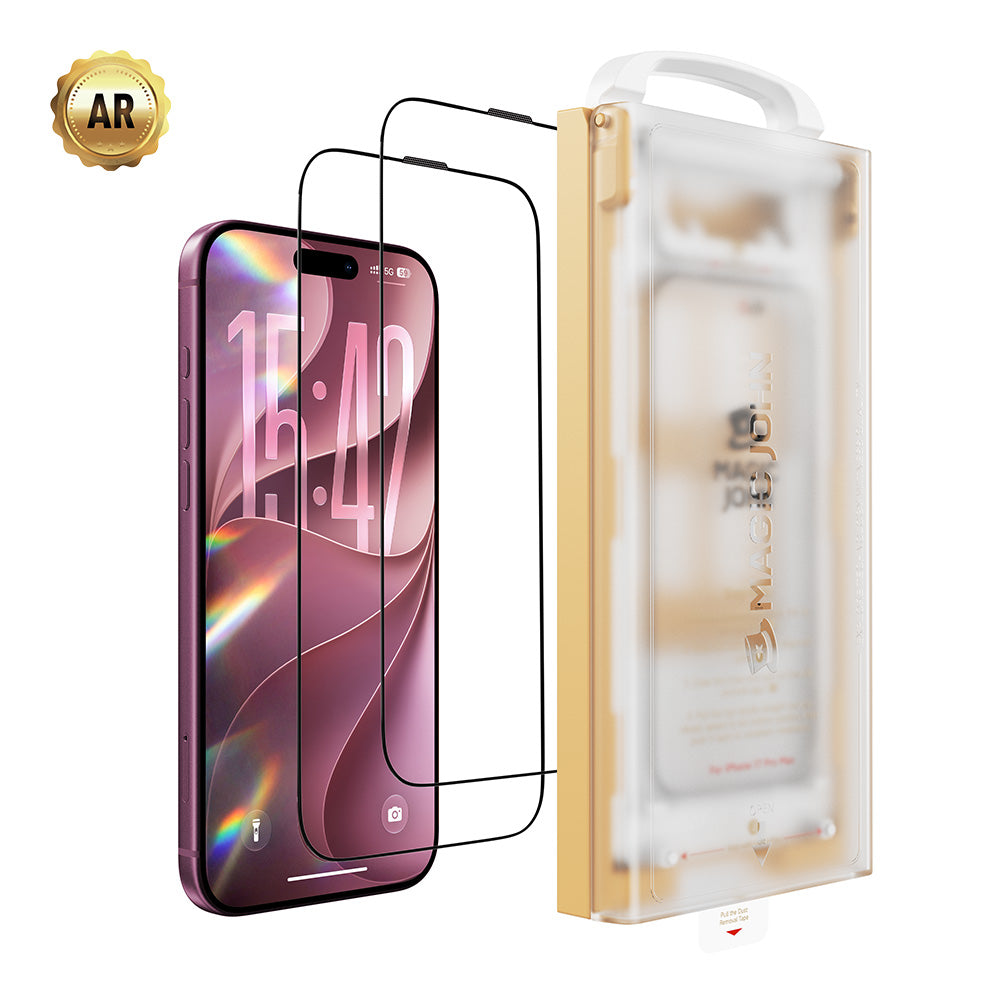
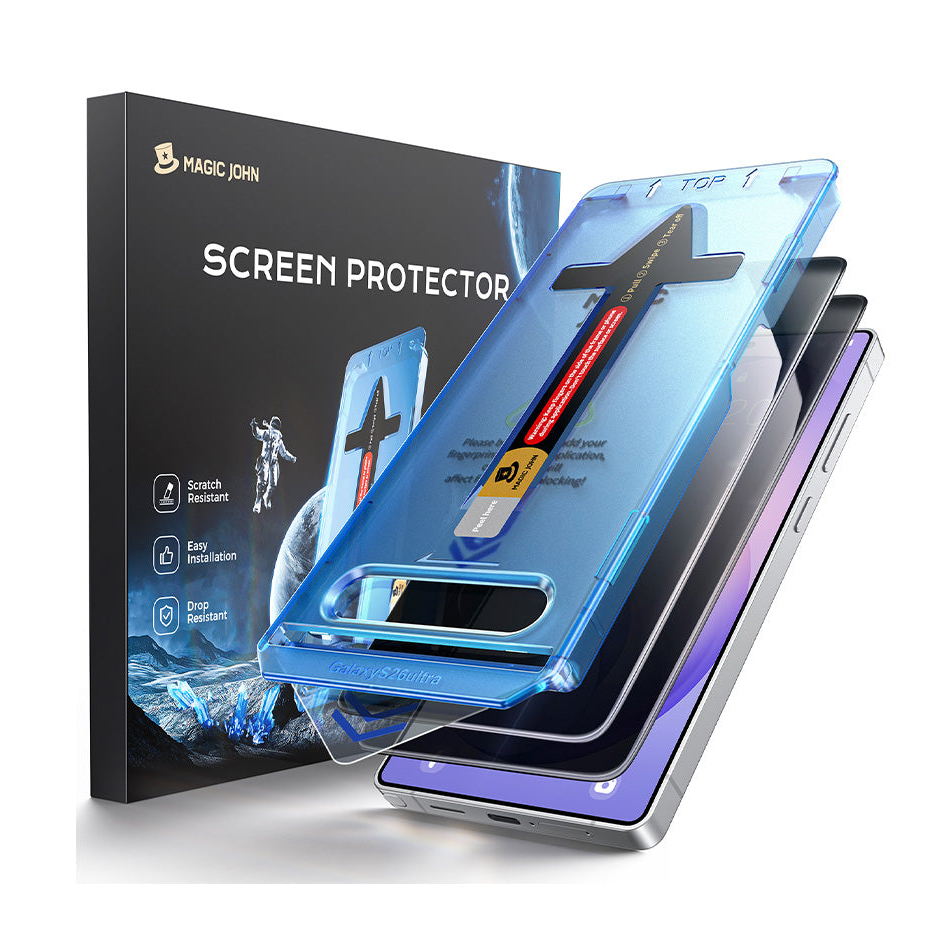
Wenn jemand mehrere Versuche auf demselben Telefon unternommen hat und trotzdem immer noch Blasen entstehen, liegt das Problem oft eher an der Umgebung oder der Ausrichtung als an der Technik. MAGIC JOHNs staubfreier Applikator der 3. Generation Dieses Werkzeug löst beide Probleme gleichzeitig: Der Ausrichtungsrahmen dient der Positionierung, während die integrierte Silikonrolle Staub und Luft in einem Arbeitsgang entfernt. Bei Smartphones, die Ihnen schon einmal Schwierigkeiten bereitet haben, beseitigt dieses Werkzeug viele der möglichen Fehlerquellen.
Blasen auf Displayschutzfolien schnell entfernen
Verschiedene Blasen erfordern unterschiedliche Lösungen. Luftblasen lassen sich mit einer Karte entfernen. Staubblasen erfordern, dass die Schutzfolie angehoben und der Bildschirm gereinigt wird. Blasen, die nach 48 Stunden in der Mitte festsitzen, können unter den richtigen Bedingungen mit einer Nadel entfernt werden. Die meisten Blasen auf Displayschutzfolien lassen sich mit der richtigen Vorgehensweise in weniger als fünf Minuten beseitigen. Wenn dieselbe Schutzfolie nach mehreren Korrekturen weiterhin Blasen bildet, liegt das Problem in der Regel an der Klebstoffqualität oder einem fehlenden Schritt zur Staubentfernung während der Anbringung. Die Displayschutzfolien von MAGIC JOHN wurden speziell für dieses zweite Problem entwickelt. blasenfreies Installationssystem Entwickelt für Menschen, die es gleich beim ersten Mal richtig machen wollen.
Häufig gestellte Fragen zu Blasen auf Displayschutzfolien
Frage 1: Warum bilden sich auf meiner Displayschutzfolie immer wieder Blasen, obwohl ich sie bereits entfernt habe?
Wenn nach dem Anbringen der Schutzfolie erneut Blasen auftreten, deutet dies meist auf eine von drei Ursachen hin: Entweder ist der Rand der Schutzfolie nicht vollständig abgedichtet und Luft dringt wieder ein; das Display des Telefons ist leicht gewölbt, wodurch die Schutzfolie von der Mitte weggedrückt wird; oder die Klebeschicht der Schutzfolie ist nicht stark genug, um auf der Glasoberfläche ausreichend zu haften. Die ersten beiden Ursachen lassen sich oft durch festes Andrücken der Ränder oder durch die Verwendung einer für gewölbtes Glas geeigneten Schutzfolie beheben. Die dritte Ursache erfordert einen Austausch der Schutzfolie.
Frage 2: Kann ich einen Föhn verwenden, um Blasen von einer Displayschutzfolie zu entfernen?
Es wird nicht empfohlen, es sei denn, Sie können die Temperatur präzise kontrollieren. Die meisten Klebstoffe von Displayschutzfolien beginnen sich ab 55 Grad Celsius zu zersetzen, und ein handelsüblicher Haartrockner erreicht eine höhere Temperatur. Das Risiko einer dauerhaften Beschädigung des Klebstoffs überwiegt den Nutzen. Eine sicherere Alternative ist, ein warmes, feuchtes Tuch etwa 30 Sekunden lang auf das Display zu legen. Die leichte Wärme macht den Klebstoff weich, ohne dass die Gefahr einer Überhitzung besteht.
Frage 3: Wie lange dauert es, bis kleine Bläschen von selbst verschwinden?
Blasen mit einem Durchmesser von unter 2 mm (1/16 Zoll) verschwinden in der Regel innerhalb von 24 bis 72 Stunden, sofern die Ränder vollständig abgedichtet sind und die Klebequalität gut ist. Blasen mit einem Durchmesser von über 3 mm oder solche, die nach 72 Stunden noch vorhanden sind, verschwinden höchstwahrscheinlich nicht von selbst. In diesem Fall ist der Klebstoff um die Blase herum ausgehärtet und muss aktiv entfernt werden.
Frage 4: Ist es sicher, eine Nadel auf einer Displayschutzfolie aus gehärtetem Glas zu verwenden?
Ja, wenn es richtig gemacht wird. Die Nadel sollte in einem Winkel von etwa 20 Grad zur Oberfläche eingeführt werden, die Folie nur leicht durchstechen und eher auf den Rand der Blase als auf deren Mitte gerichtet sein.Zwei Bedingungen müssen erfüllt sein: Die Blase muss eine reine Luftblase ohne Staubpartikel sein, und die Schutzfolie muss aus gehärtetem Glas und nicht aus weicher TPU-Folie bestehen. Bei senkrechtem Einsetzen oder falschem Winkel besteht die Gefahr, dass die Schutzfolie mit dem darunterliegenden Bildschirm des Telefons in Berührung kommt.
Frage 5: Schützt eine Displayschutzfolie mit Blasen mein Handy trotzdem?
Bei kleinen Blasen unter 3 mm (1/8 Zoll), die von den Rändern entfernt sind, bleibt die Schutzfunktion weitgehend erhalten. Bei größeren Blasen oder Ablösungen an den Rändern ist der Schutz deutlich reduziert. Die Kanten sind strukturell der wichtigste Teil eines Displayschutzes.. Ein Protektor, der sich an den Ecken oder Seiten abhebt, verschiebt sich beim Aufprall, anstatt ihn zu absorbieren – genau das, was ein Protektor eigentlich verhindern soll.



Hinterlassen Sie einen Kommentar
Diese Website ist durch hCaptcha geschützt und es gelten die allgemeinen Geschäftsbedingungen und Datenschutzbestimmungen von hCaptcha.